The PoleOS™ Company



IKE Q1 2026 product updates
2026 is off to a strong start. The first quarter’s updates focus on three things you’ve told us matter most: faster data capture in the field, more flexibility in how you build and manage forms, and a more powerful map-based experience in IKE Office Pro.
Smarter field data capture
The IKE Device now makes it faster and easier to collect accurate data in the field.
- QR and barcode scanning lets crews auto-fill “Text” form fields on the spot, reducing manual entry and errors.
- Laser Wire Mode (Beta) is available for evaluation, offering an easier approach to wire capture during height measurement, which allows users to focus the laser on the wire and not on background objects. This can be enabled in the IKE Field Settings menu.
- Subforms can now stay expanded during capture to cut down on extra taps.
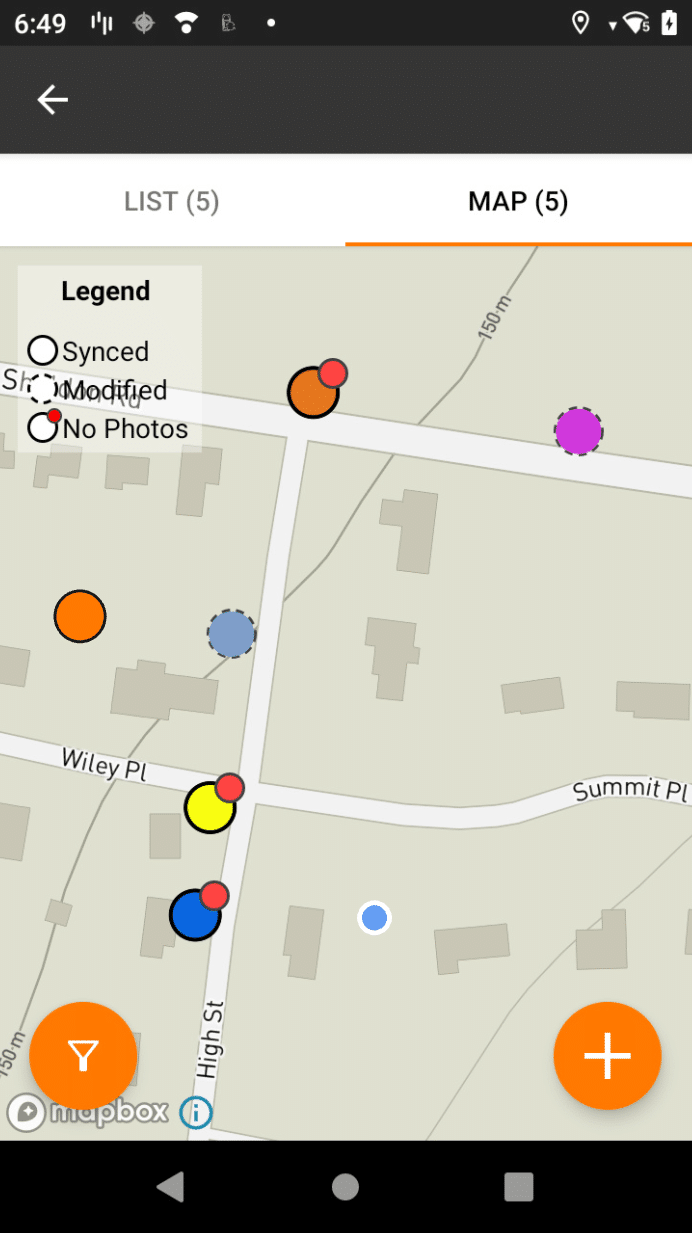
A new option to clear all device data makes shared devices simpler to manage between crews. - The IKE Device Map view now displays collection color-coding based on the “Map Color” metadata field, making it easier to identify poles by status or other configured criteria.Visual indicators like solid and dashed borders clearly display synced versus modified collections and a red dot flags collections that have no IKE photos or other required fields.
- A new filter button allows users to filter by sync status in both List and Map views.
More flexible forms
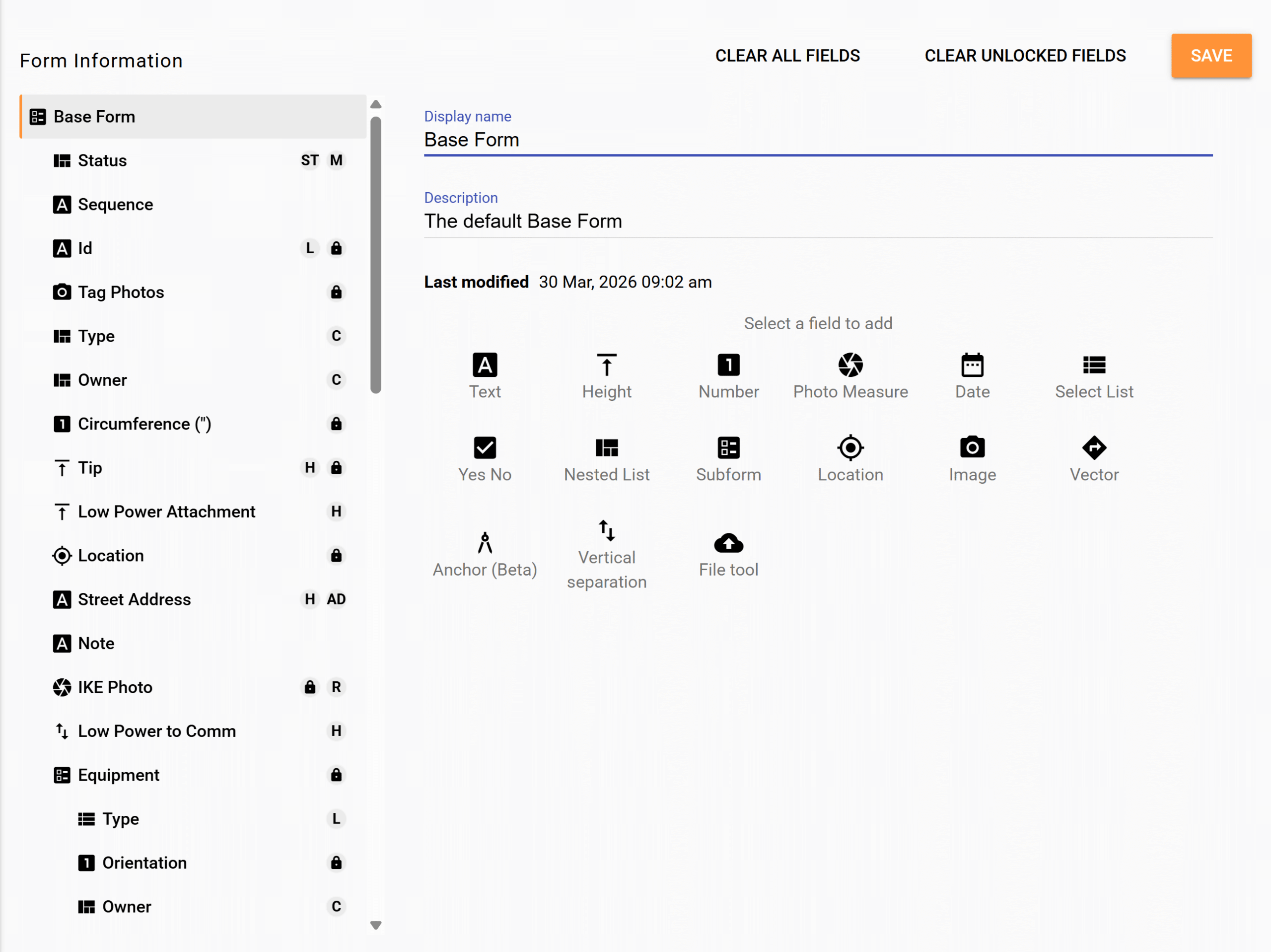
We’ve made improvements to form management across IKE Office Pro.
- The new Base Form template gives all users a ready-to-use starting point in Form Builder, ideal for getting new teams up and running quickly, with the option to migrate critical data into PLA forms when the time is right. The form comes set up with the Pro features like address geocoding, status map color, and clearance checks.
- Admins now have more flexibility when updating forms, including the ability to remove data during a form update without manual workarounds. Forms can also be duplicated within a department or copied across departments, making it easier to standardize your setup organization-wide.
- O-Calc Pro PLA integration forms now include non-wood pole materials like steel and composite.
A more powerful map experience
IKE Office Pro’s Map-Based Review Mode received upgrades for an improved user experience.
- Users can now create new collections directly from the map – perfect for representing missed poles or route planning to assign locations to a fielder for collection.
- Run ruling span calculations by selecting points on the map, and view photo annotations within the IKE Photo carousel without leaving the map view.
Behind-the-scenes
We also addressed several quality-of-life enhancements:
- Photo zoom levels from the field are now available in IKE Office Pro.
- Measurement unit preferences are retained after app updates.
- The file upload limit in IKE Office Pro has been raised from 4MB to 10MB to better accommodate high-resolution photos.
As always, we continuously invest in security, backend performance, and infrastructure to keep things fast and reliable.
Thank you for your continued partnership. We look forward to sharing more with you next quarter.
Schedule a demo to see how IKE’s technology transforms pole data management.
Chris DeJohn, Senior Vice President of Sales at ikeGPS, has a wealth of experience in enterprise, communications, and utility markets. Throughout his career, he led teams in the emergence and technology transformation of some of the world’s largest network and utility infrastructures. Chris leads IKE’s customer-facing teams in applying our industry-leading technologies to guide customers in navigating this evolution.

The latest from the IKE Wire
Understanding NESC clearance rules for guy wires
Requirements for installing or maintaining down guys and span guys Proper placement a...
Read More5 critical factors for selecting utility pole field data collection technology
When evaluating utility pole data collection solutions, the initial subscription pric...
Read MoreIKE Office Pro expands field-to-finish process with more integrations to leading pole loading analysis, distribution design, and joint-use software
Latest developments enable best-in-class utility workflows, connecting field data col...
Read MoreSubscribe to the IKE Wire
Get the latest insights on data acquisition and structural analysis from the ikeGPS experts.