The PoleOS™ Company



Self-paced product training for ikeGPS customers
Learn all IKE products at your own pace, on your own schedule
IKE's self-paced courses cover the complete workflow: operating the IKE Device, annotating records in IKE Office Pro, and pole loading analysis in IKE PoleForeman.
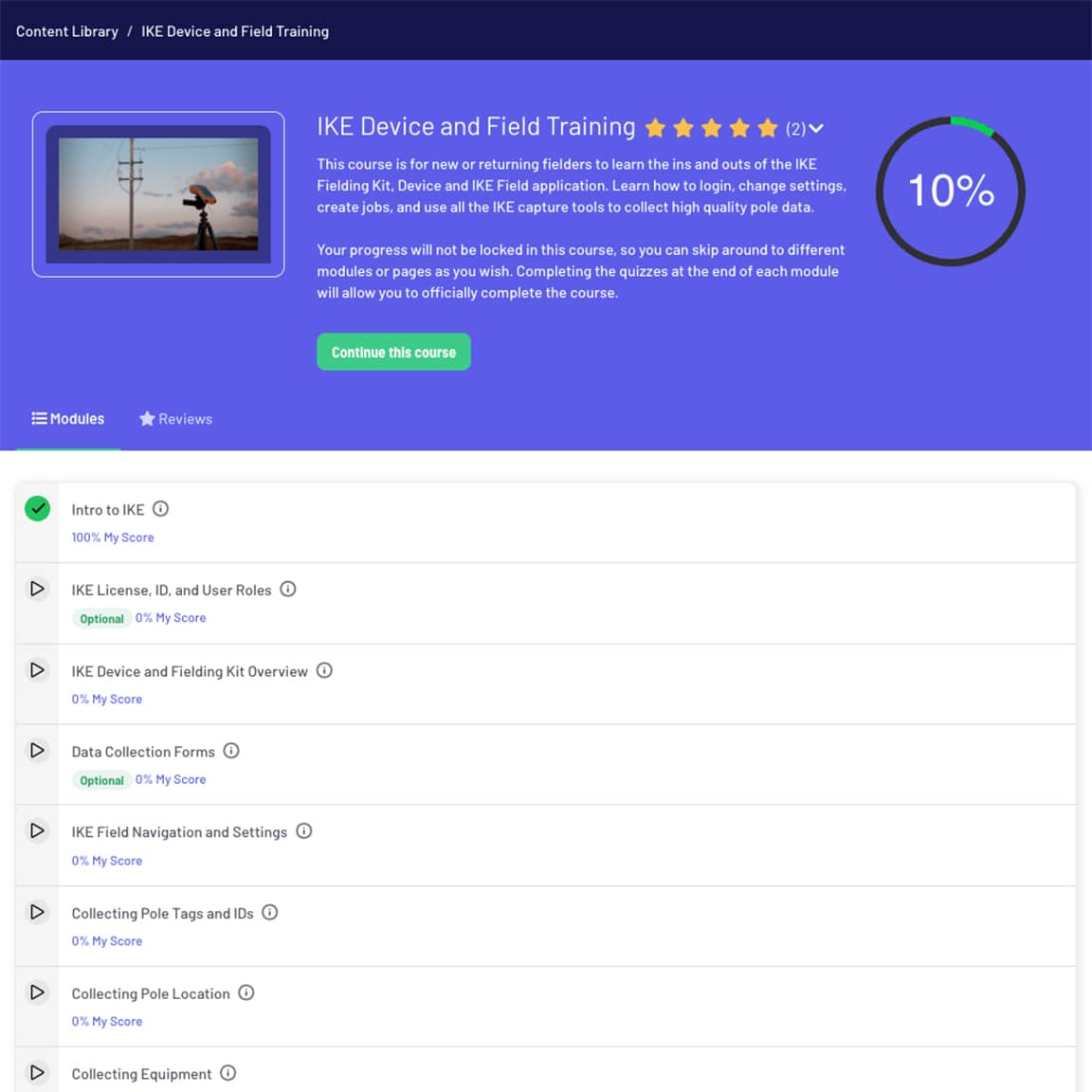
On-demand training for all IKE customers
Customers can access the training portal with their existing IKE Office Pro or IKE Poleforeman credentials; no additional setup required. Browse the available courses and progress at your own pace. You can work on multiple courses simultaneously, skip to specific modules, or revisit pages as needed. Completing the quiz at the end of each module counts toward official course completion.
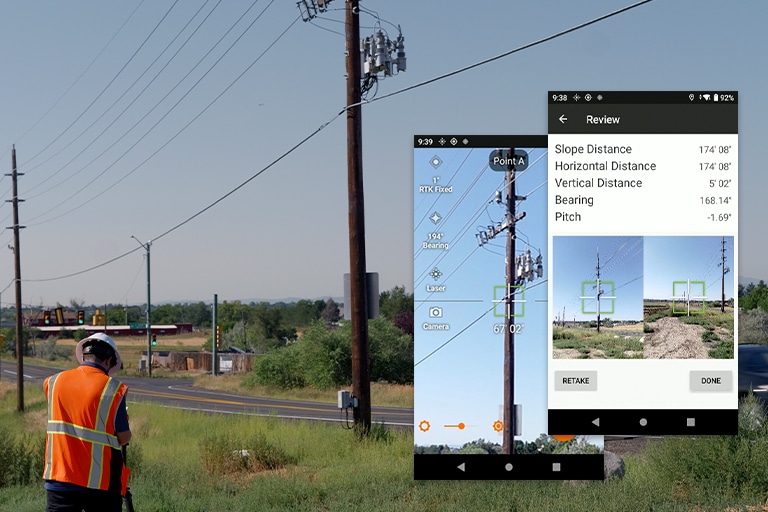
IKE Device and Field Training
This course walks through everything a field technician needs to collect high-quality pole data with the IKE Device, from logging in and configuring the device to capturing photos, location, equipment, and span data in the field.
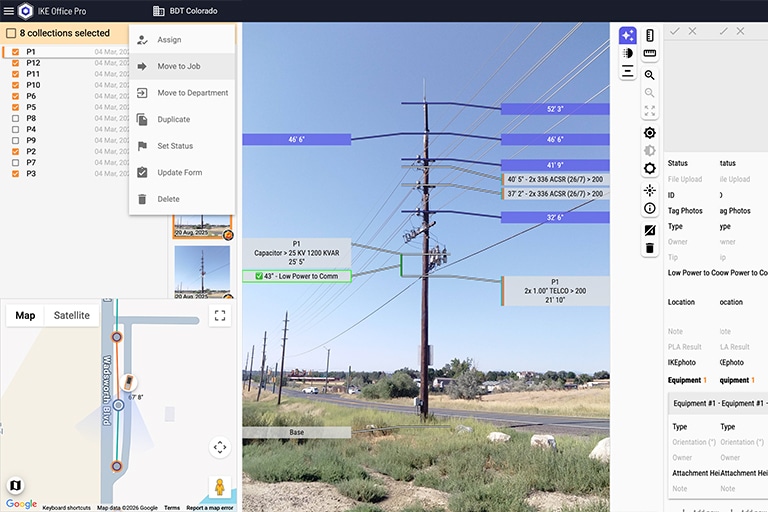
IKE Office Pro Features Tour
This course highlights everything that is new or expanded in IKE Office Pro compared to the old IKE Office. It is the fastest way for experienced users to get oriented on the new capabilities of the Pro version, building on your existing knowledge and skipping the basics.
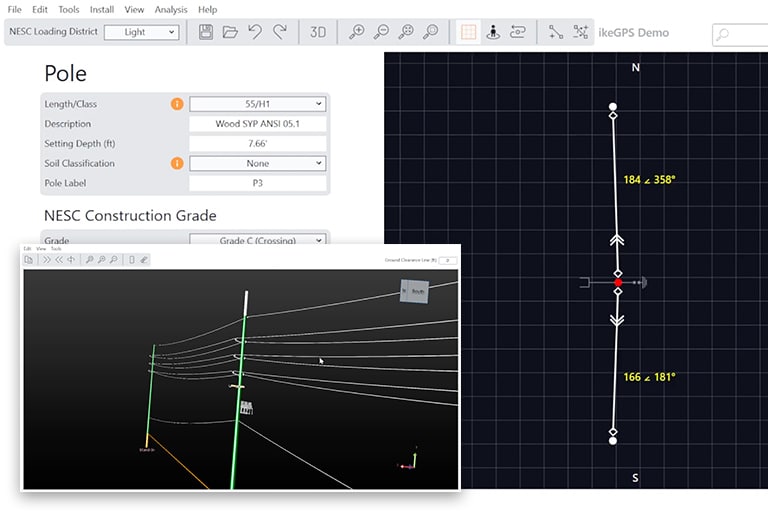
Basics of IKE PoleForeman
This course covers core features of IKE PoleForeman, including pole properties, spans, conductors, framing, anchors, and guys. Learn to build structures, run analysis, check clearances, and determine pole class and guying requirements.
Training built by the team behind IKE products
 Built by the people who built the products
IKE’s self-paced courses are developed and maintained by the same team that designs IKE products and delivers live training. That means the content reflects how the tools actually work in production environments, not simplified examples. When workflows change or new features ship, courses are updated to match.
 Structured around the workflow, not just the features
Each course follows the natural sequence of the IKE workflow, so you understand how your work connects to what happens upstream and downstream. Fielders learn why photo quality matters for back-office measurement. Office analysts learn what field crews can and cannot capture at the pole. That shared context makes teams more effective.
 Flexible for individuals and teams
Self-paced courses are available any time through the training portal, so new hires can onboard independently and experienced users can revisit specific topics without calendar conflicts. Organizations running live training can also use self-paced courses as pre-work or follow-up material to reinforce what was covered in-person.
 Quizzes and completion tracking
Each module includes a quiz that confirms understanding before you move on. Completing all module quizzes marks the course as officially complete, giving team leads and administrators a clear record of who has finished which training.
Grounded in how the work actually gets done
The self-pace courses were developed by IKE experts who work directly with customers on fielding projects and software deployments. The team brings together expertise from both sides of the IKE workflow: hands-on field data collection with the IKE Device and back-office work in IKE Office Pro and IKE PoleForeman. This keeps course content grounded in how the work actually gets done on real pole lines and in real production environments. Our instructors experience on both sides, and the courses are built around that operational knowledge.
Questions, answered
Everything you need to know about getting started with self-paced training.
You can work on multiple courses at once and none are pre-requisites for others. For the IKE Device and Field Training course, you can navigate to any module or page in any order. Completing the quiz at the end of each module counts toward official course completion. The IKE PoleForeman basics course is structured sequentially, since later modules build on earlier ones. Once you complete the course, you can jump back into any section for quick reference.
Field technicians and crew leads should start with IKE Device and Field Training. Back-office analysts, project managers, and office staff new to IKE Office Pro should take the IKE Office Pro Features Tour. Engineers and analysts working with pole loading analysis should take Basics of IKE PoleForeman. Many users take more than one course, particularly those involved in multiple workflows.
Self-paced courses cover the same core content as live training and are a good fit for individuals who prefer to learn at their own pace or need to get up to speed quickly. For teams new to IKE or working with complex integration requirements, live training with a hands-on field exercise is typically more effective. Many organizations use both: self-paced courses for onboarding and reference, and live training for initial deployment and deeper configuration work.
Yes. All courses remain accessible after completion, so you can return to specific modules, review content for refresher purposes, or share links with new team members who are getting started.
Our support team is available for questions beyond what self-serve materials address. You can also explore our Lunch & Learn webinar series, which covers commonly asked questions about IKE Office Pro and the IKE Device in a short, focused format.
More ways to get up to speed

IKE Office Pro expert-led training
For teams new to IKE or working through a complex integration, our full-day expert-led training covers the complete IKE workflow from field to office, with hands-on exercises on a real pole line and group annotation practice in IKE Office Pro.

IKE PoleForeman expert-led training
Structured training for engineers and analysts who need to go beyond the basics: advanced modelling, load case configuration, and integration with IKE Office Pro data exports.

IKE Support Portal
Our support team is always ready to answer questions and offer guidance. Get access to resources like user manuals, knowledgebase articles, video tutorials and more.
Start learning at your own pace
Already an IKE Office Pro or IKE PoleForeman user? Not currently a customer?